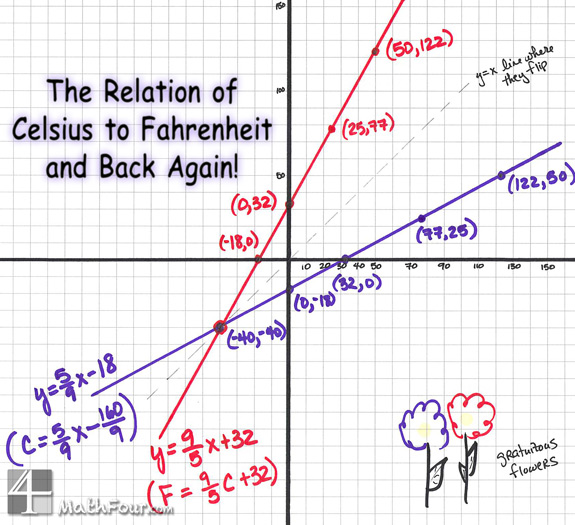
It inspired me to draw the graphs of Celsius in terms of Fahrenheit and Fahrenheit in terms of Celsius.
The conversion from Celsius to Fahrenheit and back again can be strange. One way to understand it is on a graph. And you can use this to teach some linear algebra too!
Notice these two intersect at (-40, -40). Which means that -40°F is -40°C!
Use it to convert temperatures.
The x values on the red line are Celsius – so find the °C you have and then look at the y-value to convert to °F.
It’s just the opposite on the purple line.
Okay, fine. This isn’t the greatest way to convert – but it’s exciting to see it graphically. And it might be easier to convert this way for someone who’s more visual.
Use it to teach math!
These two lines are inverses of each other. So the coordinates of one are switched to make the other.
Also, they mirror image across that 45° line. I marked the line with dashes and wrote on it.
And if you’re into this, their functional composition (both ways) is… x! (not factorial)
Compare and Contrast…
Take a look at the way J.D.Roth did it and then look at the graphs I have. Let your students find the way they like the best. And encourage them to create new ways!
Oh, yeah – and share what happens in the comments!
I have long wondered about the similarity between some math words and some English grammar words. In particular ellipse vs. ellipsis and hyperbola vs. hyperbole.
I finally decided to look up their etymologies, and amazingly there is good rhyme to the reason!
Ellipse and Ellipsis
Both of these words come from a Latin root meaning, “a falling short or deficit.”
The grammar term, ellipsis, means the three dots used to designate missing words, or a deficit of words. Like … well…, you get the picture!
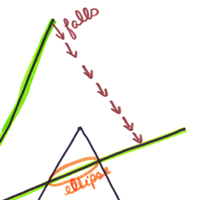
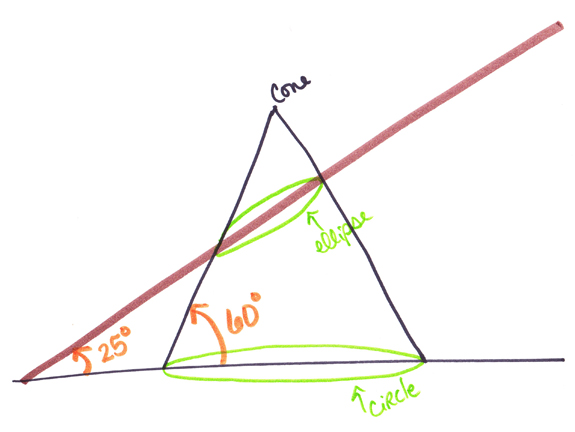
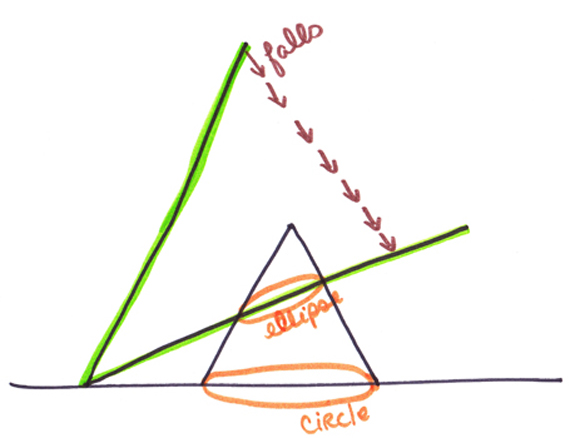
For the mathematical shape, or graph, an ellipse is created when a cone is cut by a line whose angle is less than (or falls short of) the angle of the side of the cone to the bottom of it. (#ARG, I know. Check out the pix.)
The brown line that creates the ellipse has a 25° angle which is much smaller than the 60° angle between the bottom and side of the cone:
You can see it “in action” here with the line falling:
Hyperbola and Hyperbole
A hyperbole is the fancy English grammar term for exaggeration. Everyone use hyperbole all the time! (See what I did there…?)
And a hyperbola in math is the graph/shape that looks like the light beams from a two-sided flashlight.
Both of these words come from a Latin word that means extravagance or “throwing beyond.” You can see how an exaggeration (a hyperbole) is throwing beyond. But what’s up with the math word, hyperbola?
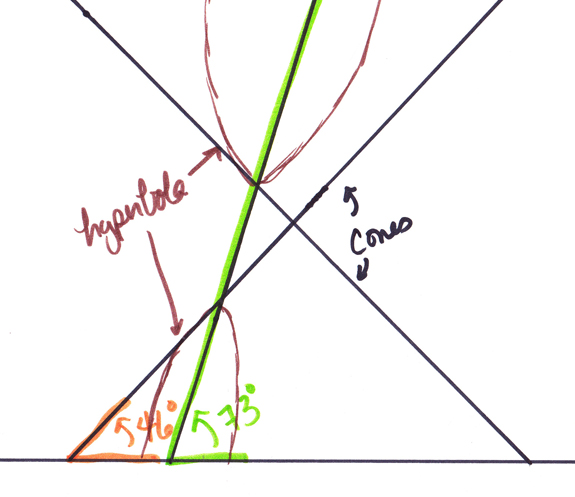
We look to the angle of the cutting line again. A hyperbola is cut from a cone (actually stacked cones — see the picture) with a line who’s angle is “beyond” or more than the angle of the side of the cone to the bottom. It’s just the opposite of the ellipse!
Check it out: (This one is somewhat drawn to scale so you can really see what’s going on.)
Are there more?
These are the only two that have bugged me through the years. But now I’m wondering if there are other math words that have cousins over in the English department.
I started the ruler and compass series a while ago and am just now getting back to it. Here is my construction of a perpendicular bisector of a given line segment.
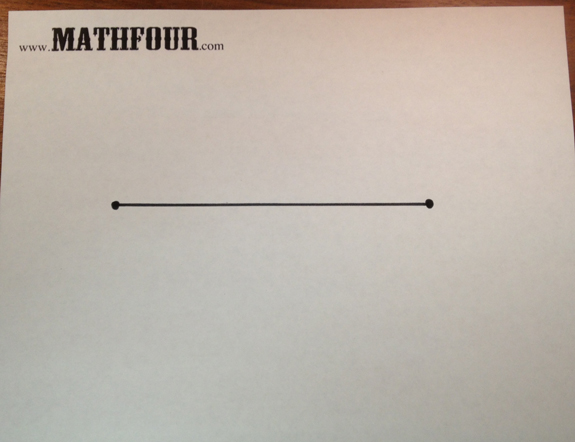
First, I drew a line segment:
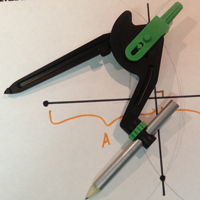
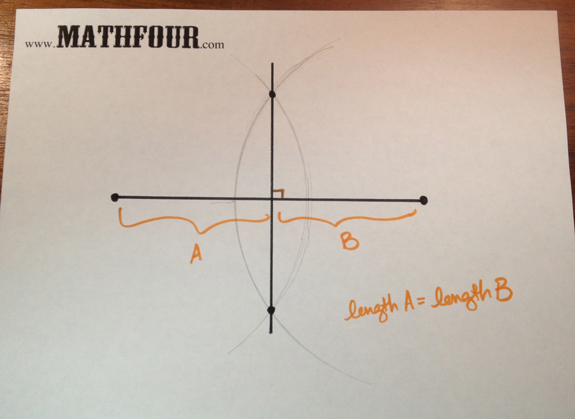
Using my compass (which quickly gave out on me), I made two big fat arcs. They have the same radius — this is important.
Where those two cross, I drew a line. That line is the perpendicular bisector of the original segment (which means it makes a 90° angle and splits it into two equal parts):
Why does it work?
Well, that’s a great question. I’m sure there’s some proof of why this actually results in splitting the original line segment in half with a perpendicular line. I’ll have to think on it more.
But intuitively it totally feels right.
Now that’s a bad way to proceed with math, but it’s a great first start!
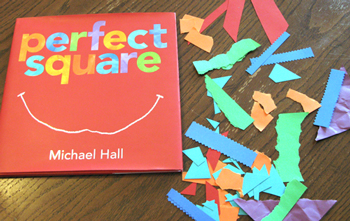
I rounded the corner at Barns & Noble one day and and this beautiful math picture book looked me in the eyes.
I just couldn’t resist buying Perfect Square by Michael Hall!
And what a treat it was!
It’s inspiration for math crafts, playing with color and patterns and talking about shapes — all in one neat little package!
A happy little perfect square gets cut, torn and shredded over the course of a week. But this optimistic shape uses the “abuse” to make itself into new and fun things each time.
Construction paper and scissors…
I made a bunch of squares from construction paper to start. With each page, I replicated the images.
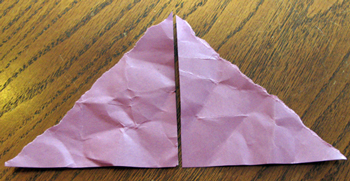
One day the square gets cut into two triangles and crumpled up. So it makes itself into a mountain. This one was fairly easy.
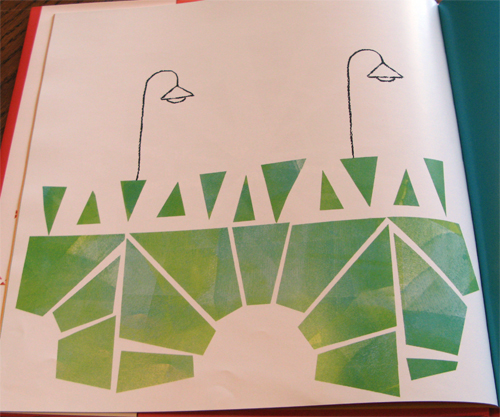
Another day it was shattered, so it made itself into a bridge. The shattering resulted in 24 pieces — each a triangle or trapezoid. It was especially hard to do, so I’m sharing a picture of the bridge in this math picture book.
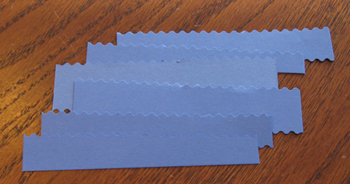
Another day, Perfect Square was cut into ribbons with crinkle shears and makes itself into a river. Long thin “mostly” rectangles were fun to do when I found my old scrapbooking scissors.
Are you ready to play?
I had a great time cutting each shape and seeing how I could replicate the images in the math picture book, Perfect Square. Some were easy, some were hard.
What can you do? What can your kids do? I’ll bet their creative minds go all over the place!
GeoGebra bills itself as “Free mathematics software for learning and teaching.” Indeed the intent is learning – but the market for the software is teachers.
Which means grownups are using it and then making kids use it. And we are using it as if we know what a student needs to learn math.
And I worry that a powerful tool like this can easily turn into another way we can tell students:
Here, do this. It will help you learn math because it’s hands on. Make sure you follow the instructions so you can discover what you’re supposed to.
But we don’t have to let it!
The objectives are the current focus.
In the classic backwards way we teach, the “lesson plan” might go something like this:
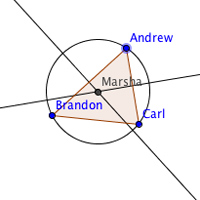
We need to learn that the center of the circumcircle around a right triangle is the midpoint of the hypotenuse. So I’ll give them the steps to draw a circumcircle. Then I’ll teach them how to move the vertices.
I’ll construct specific questions to lead them to discover that the center of the circle will be the midpoint of the hypotenuse. They’ll certainly get it then.
And what if they don’t “discover” it on their own? It becomes another performance based failure. And then the teacher discovers it for them.
We can refocus on discovery!
I discovered math when I used GeoGebra. Math I never knew.
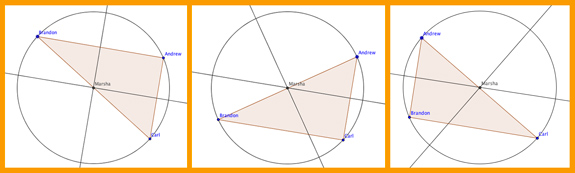
I loved watching the circles and triangles dance. From that I saw that when my point “Marsha” is on each of the sides, it appears she’s on the midpoint.
But I wasn’t answering any questions about it. I followed the instructions to draw the triangle and the circle. And then I played.
There were no leading questions. Nothing I had to “get right.” I just had fun.
Try it in class.
Suppose you gave your kids exactly what I had – instructions to draw the circumcircle and how to use the Move Tool.
And left it at that.
Would some students discover the hypotenuse/center thing?
Sure!
Would other students not?
Yepper!
And that’s okay.
I’d never heard of a circumcircle. I know “circumscribed” – but not circumcircle or circumcenter. And I’m doing pretty well mathematically.
If a child discovers something, that’s a win. If they don’t – well that’s NOT a loss! Let it go.
It’s not your job to discover it for them. No matter what the Common Core Standards or TEKS say.
See what happens…
Restructure your lesson plans. See if you can give lots of different “how-to” sheets on drawing stuff on GeoGebra. And see where their curiosity takes all of you. You just might be surprised!
This is the 5th in the draft purge series where I’m throwing stuff out over a three week period. One month after starting MathFour.com, I came across an article about GeoGebra. I was quite taken by the software, but a little overwhelmed.
I’m not much into technology — at least when it comes to math. So the power of the tool was much more inhibiting for me than it was empowering.
So the review of it stalled.
Indeed this article was first “drafted” back in March of 2011 — more than a year ago. It only had the link to that article in it. Not much of a draft.
Lucky for us, math is math. It doesn’t change much over a year (or even a few hundred years).
So GeoGebra is pretty much as useful (and as scary) as it was a year ago.
But like all good heros, leaders and people stupid enough to think they might be either, I’m diving in. Regardless of my fear.
First: Get out the users’ manual.
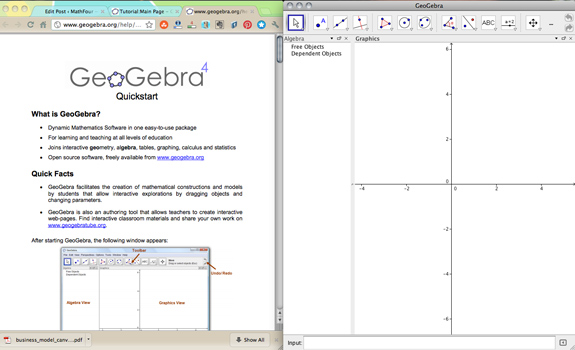
So I found the GeoGebra Quickstart guide and started reading. I downloaded GeoGebra and cranked it up.
The Quickstart has three examples to try. The first one is un-intimidating — merely involving a triangle and a circle.
So I did it.
And I can share it, too!
Turns out you can “share” your work on GeoGebra — those guys are pretty clever, I must say!
Following the directions, I learned about the Move Tool. Which means you can move just about anything — the whole triangle, the circle or any of the vertices!
Check out the “dance” I did with my circle and triangle:
I’m looking forward to playing some more. But I still have my concerns.
I’ll share those tomorrow. For now, I’m just going to enjoy the tool!
How about you?
Have you played with GeoGebra? Will you? How do you use it? Tell us in the comments.