
In factoring polynomials it’s sometimes handy to break up the work graphically. Lisa Nuss, a member of Sam Shah’s New Blogger Initiation, shared a handy graphic organizer last week.
I struggle with factoring polynomials, myself, so I wanted to give it a try.
It started out easy.
I started factoring polynomials with 1 as the leading coefficient (i.e. x2 has no messy number in front of it).
I factored:
\(x^2 + 14x + 48\)
First, I put the first and last terms in the boxes. (Note that this graphic organizer works the same way as a multiplication table.)
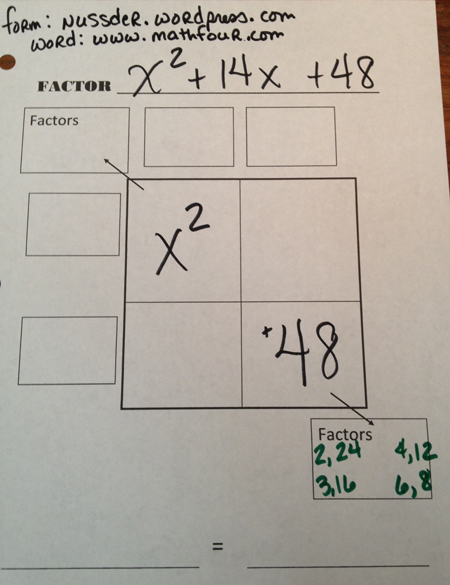
Then I factored those two in the given “factors” boxes. I determined which factors of 48 would add up to 14, and filled in the chart appropriately.
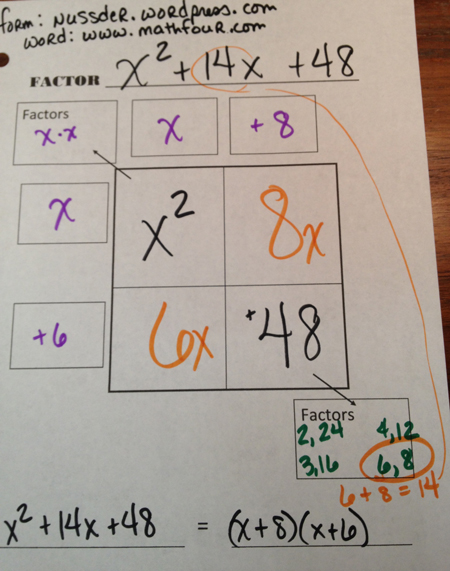
I was done with that factorization.
Yay me!
Then I got into harder stuff.
Lisa put in an extra “Factors” box to handle non-unit leading coefficients. So I went for a big dog:
\(6x^2 + 65x + 50\)
Here’s how far I got before the breaks squealed:
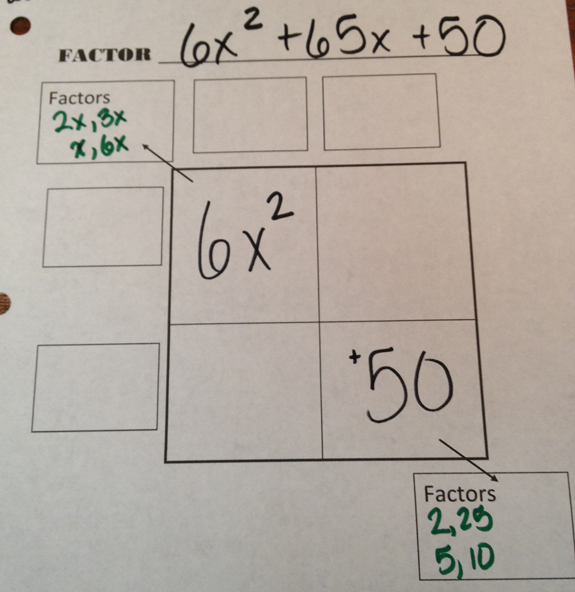
Factoring polynomials like this one shouldn’t be too much of a problem. Especially if you use a page protector and a dry erase pen to do the trial and error work, as Lisa suggested.
But I don’t have such fancy technology.
And I don’t like to erase my work. I want to see everything I’ve tried. For me, it’s very likely that I make a mistake and have to go back. And it’s a real pain to have to re-create everything.
So instead of playing trial and error with the one big sheet of paper, I created a Factor Trial & Error Boxes worksheet (or in Lisa’s terminology: a graphic organizer).
Here’s what my work looked like:
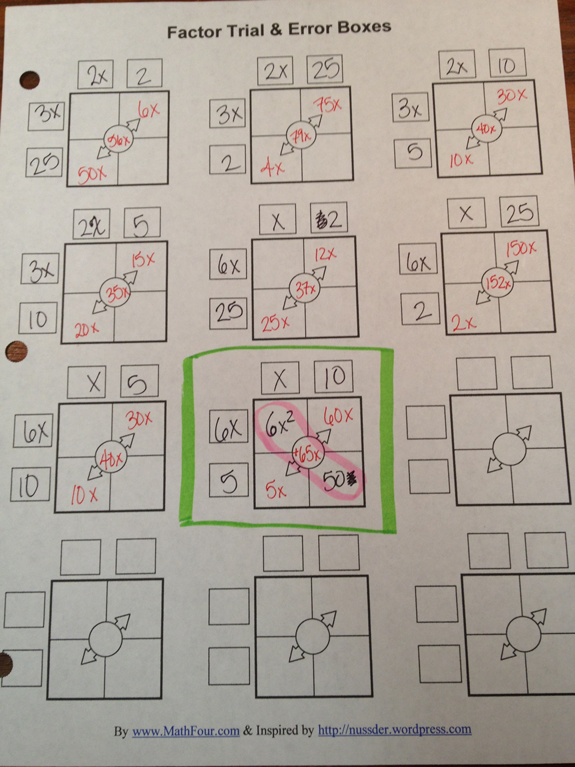
(It was a coincidence that the right answer was last, by the way.)
With that info, I could go back to my big graphic organizer and finish the problem.
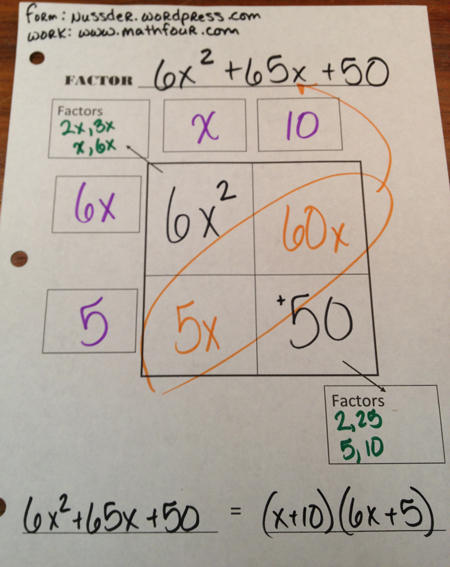
This was very pleasing. I was able to use Lisa’s graphic organizer and mine to make sure I didn’t lose any options in my my trial & error.
Will it work for you and your kids? Download the Factor Trial & Error Boxes worksheet now and give it a shot!
Share your thoughts in the comments or on twitter/x.

Leave a Reply