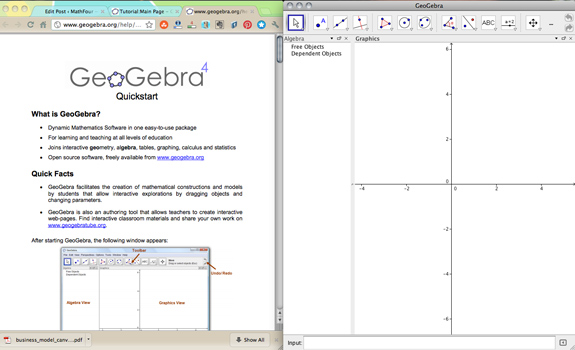

Yesterday I shared my first experience on GeoGebra – and hinted that I had some concerns.
GeoGebra bills itself as “Free mathematics software for learning and teaching.” Indeed the intent is learning – but the market for the software is teachers.
Which means grownups are using it and then making kids use it. And we are using it as if we know what a student needs to learn math.
Yes, we occasionally do. But we have much less discovery learning these days and much more spoonfeeding.
And I worry that a powerful tool like this can easily turn into another way we can tell students:
Here, do this. It will help you learn math because it’s hands on. Make sure you follow the instructions so you can discover what you’re supposed to.
But we don’t have to let it!
The objectives are the current focus.
In the classic backwards way we teach, the “lesson plan” might go something like this:
We need to learn that the center of the circumcircle around a right triangle is the midpoint of the hypotenuse. So I’ll give them the steps to draw a circumcircle. Then I’ll teach them how to move the vertices.
I’ll construct specific questions to lead them to discover that the center of the circle will be the midpoint of the hypotenuse. They’ll certainly get it then.
And what if they don’t “discover” it on their own? It becomes another performance based failure. And then the teacher discovers it for them.
We can refocus on discovery!
I discovered math when I used GeoGebra. Math I never knew.
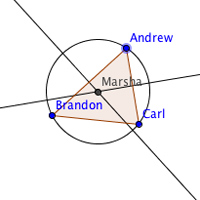
I loved watching the circles and triangles dance. From that I saw that when my point “Marsha” is on each of the sides, it appears she’s on the midpoint.
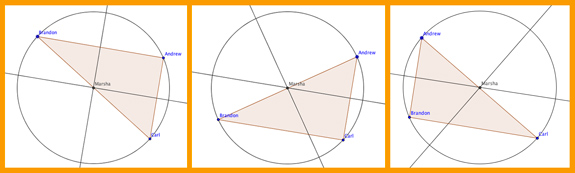
But I wasn’t answering any questions about it. I followed the instructions to draw the triangle and the circle. And then I played.
There were no leading questions. Nothing I had to “get right.” I just had fun.
Try it in class.
Suppose you gave your kids exactly what I had – instructions to draw the circumcircle and how to use the Move Tool.
And left it at that.
Would some students discover the hypotenuse/center thing?
Sure!
Would other students not?
Yepper!
And that’s okay.
I’d never heard of a circumcircle. I know “circumscribed” – but not circumcircle or circumcenter. And I’m doing pretty well mathematically.
If a child discovers something, that’s a win. If they don’t – well that’s NOT a loss! Let it go.
It’s not your job to discover it for them. No matter what the Common Core Standards or TEKS say.
See what happens…
Restructure your lesson plans. See if you can give lots of different “how-to” sheets on drawing stuff on GeoGebra. And see where their curiosity takes all of you. You just might be surprised!
Share your thoughts in the comments or on Twitter/X.